Your Agent Now Checks Every Page It Builds
Since Neleto 1.22, every page your agent creates or changes comes back checked: links, alt texts, headings, meta tags. Here's what that changes before a handover.
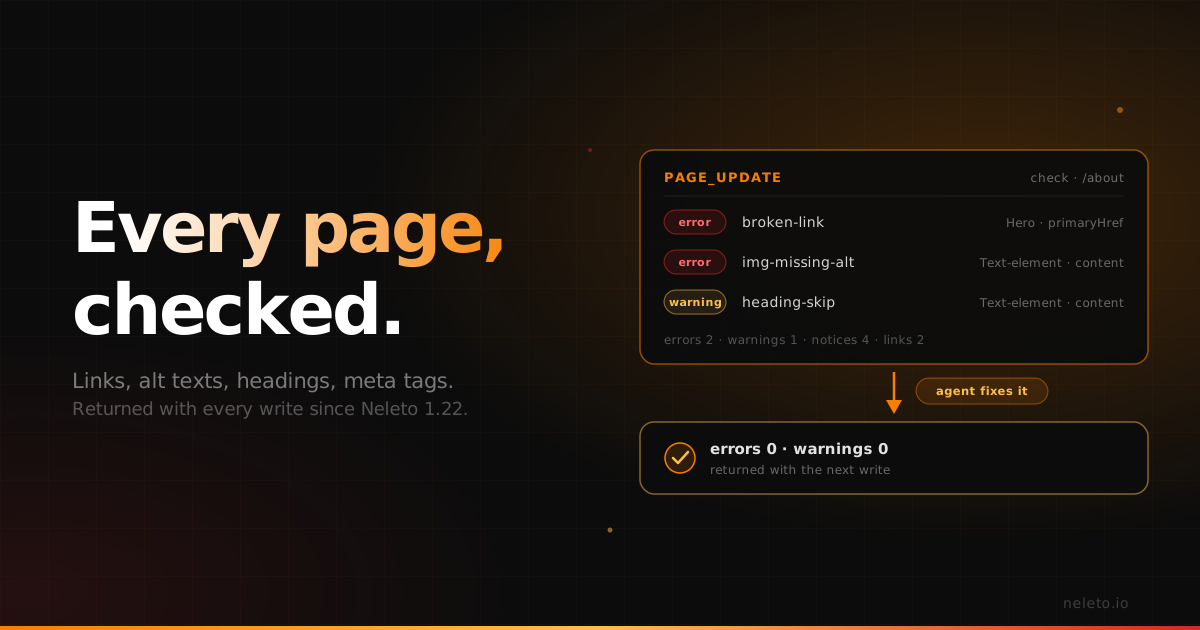
You let your agent move a client's website. Thirty pages, rebuilt as editable sections, done in an afternoon. The agent reports "all pages created". Then someone on the team clicks through before the handover and finds a link to a page that's still a draft, a team photo without alt text, and a heading structure that jumps all over the place.
None of that is the agent being careless. In most AI-and-CMS setups, a write ends with "saved". Whether the page works for a visitor is something the agent never hears about.
Back in August I wrote about the three ways an agent can check its own work in Neleto. The last of them, opening the live page and looking at it, only worked if your agent had a browser. Since version 1.22, released on 12 November, the most common checks don't need one anymore. Neleto runs them itself and hands the result back with every write.
What happens now when your agent writes a page
When your agent creates or changes a page (page_create or page_update on Neleto's MCP server), Neleto renders the page the way a visitor gets it, with its layout. It checks the result and returns it in the same answer, under check. There's no extra step and no second tool to call.
A real example: find, fix, check again
On our demo site, we had Claude build an "About us" page with three mistakes in it on purpose:
- an image without alt text,
- a button linking to a services page that was still a draft,
- a heading that jumps from
<h1>straight to<h3>.
This is the check Neleto returned with the page (shortened):
"check": {
  "route": "/about",
  "summary": { "errors": 2, "warnings": 1, "notices": 4, "linksChecked": 2 },
  "issues": [
    { "severity": "error", "rule": "img-missing-alt",
      "element": { "component": "Text-element", "id": 22 }, "field": "content",
      "message": "Image https://uiblocks.neleto.app/image/user-upload/3b67a79c-… has no alt attribute (use alt=\"\" only for decoration)." },
    { "severity": "error", "rule": "broken-link",
      "element": { "component": "Hero", "id": 20 }, "field": "primaryHref",
      "message": "Link to /services answers 404: visitors get an error page (missing page, draft or typo)." },
    { "severity": "warning", "rule": "heading-skip",
      "element": { "component": "Text-element", "id": 22 }, "field": "content",
      "message": "<h3> \"Our team\" follows <h1> and skips a level." },
    { "severity": "notice", "rule": "title-too-short",
      "message": "The title \"About us\" is shorter than 10 characters." }
  ]
}
(Three more notices are cut here: no preview image, no preview description and no canonical link.)
Every finding names the section and the field. So the agent didn't have to search for anything. It did three things:
- Published the services page, so the button no longer leads to an error.
- Fixed the content field of the text section: the heading became an
<h2>, and the image got an alt text. - Gave the page a longer title.
The next write came back with a fresh check:
"check": {
  "route": "/about",
  "summary": { "errors": 0, "warnings": 0, "notices": 3, "linksChecked": 2 }
}
What's left are the three notices about link previews and the canonical link, which the agent wasn't asked to fix.
One more thing happened along the way. Publishing the services page ran the check on that page too, and it reported that the page has no <h1> and no meta description. You don't only hear about the page you're working on, but also about the one you just put live.
What it checks, and what it doesn't
| Checked on every write | Not checked |
|---|---|
SEO basics: page title, meta description (missing or wrong length), og:image, og:description, canonical link, exactly one <h1> | External links. Only links within the site are requested |
| Accessibility basics: page language, alt texts, link and button text (including vague "here" or "more"), form labels, skipped heading levels, iframe titles | Colour contrast and layout. Those need a browser: an agent with one, or you |
| Links within the site: every internal link is requested. A link to a missing page or to a draft is an error | Duplicate titles and descriptions across pages. The Site Health plugin covers that |
And one thing no check covers: whether the page is right. Tone, facts, prices, a claim that isn't true. The check confirms the page works, not that it says the right thing. That review stays with you. It's a check of the basics, not an accessibility audit, but the basics are exactly what nobody looks at on page 27 of 30.
When the problem is in the template
In the example, every finding named a field, so the fix went into the page's content (page_update, or layout_update for the header and footer). Sometimes a finding names only a component. Then the problem sits in the component's template, for example a hard-coded heading level. The agent fixes the component once with component_update, and every page that uses it is fixed with it.
To re-check a page without changing it, for example after adjusting a layout, there's a new tool, page_check.
We've also updated the prompt for moving a website with your agent. The agent now fixes each page's findings before moving on, and re-checks every page through Neleto at the end. A migration that used to end with "all pages created" now ends with "all pages created and checked".
Why this matters if you run client sites
For an agency, the expensive moment isn't building a page. It's the email two weeks after handover: "the link on the services page goes nowhere". Each one costs an apology and an hour nobody pays for.
With the check coming back on every write, the mechanical mistakes are caught while the agent is still on the page, not by your client. Your review before handover can be about whether the site is right for the client, not about clicking through thirty pages looking for broken links.
Try it
The live check ships with Neleto 1.22 on every plan, the free plan included. Existing sites get it when they update to 1.22. Connect your agent, let it build or change a page, and look at the check in its answer. The MCP tools reference lists everything it checks.
Start free on neleto.io, no credit card needed.
— Martin
Read next
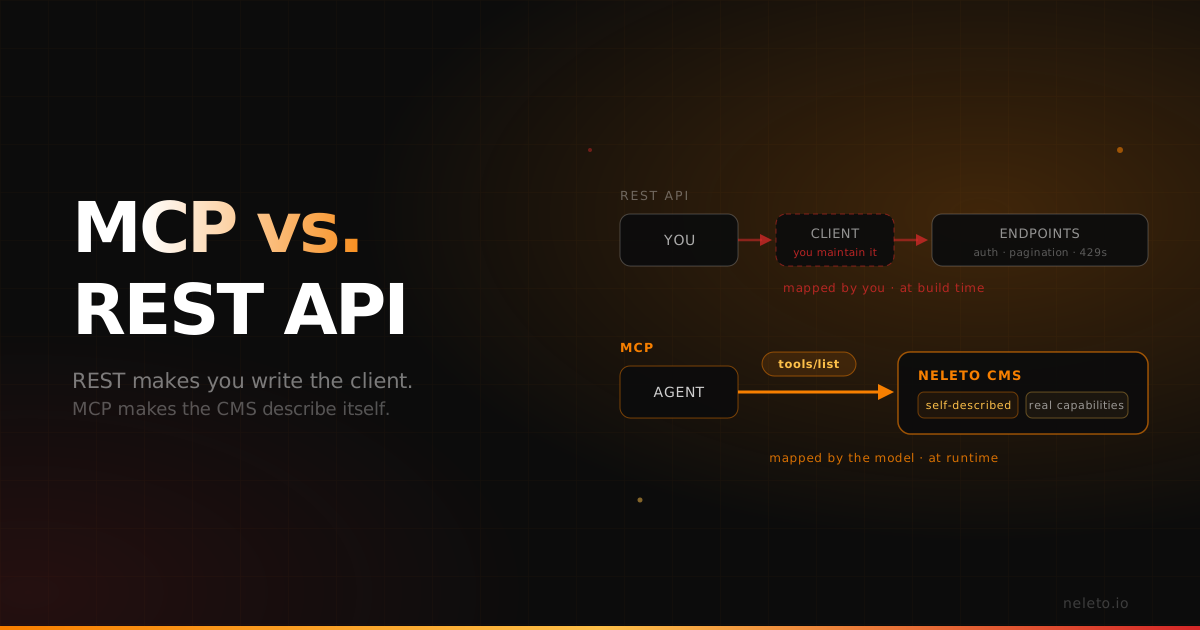
MCP vs REST API: What Changes When an Agent Talks to Your CMS Directly
REST makes you write the client. MCP makes the CMS describe itself. Both still need the capability to exist underneath.
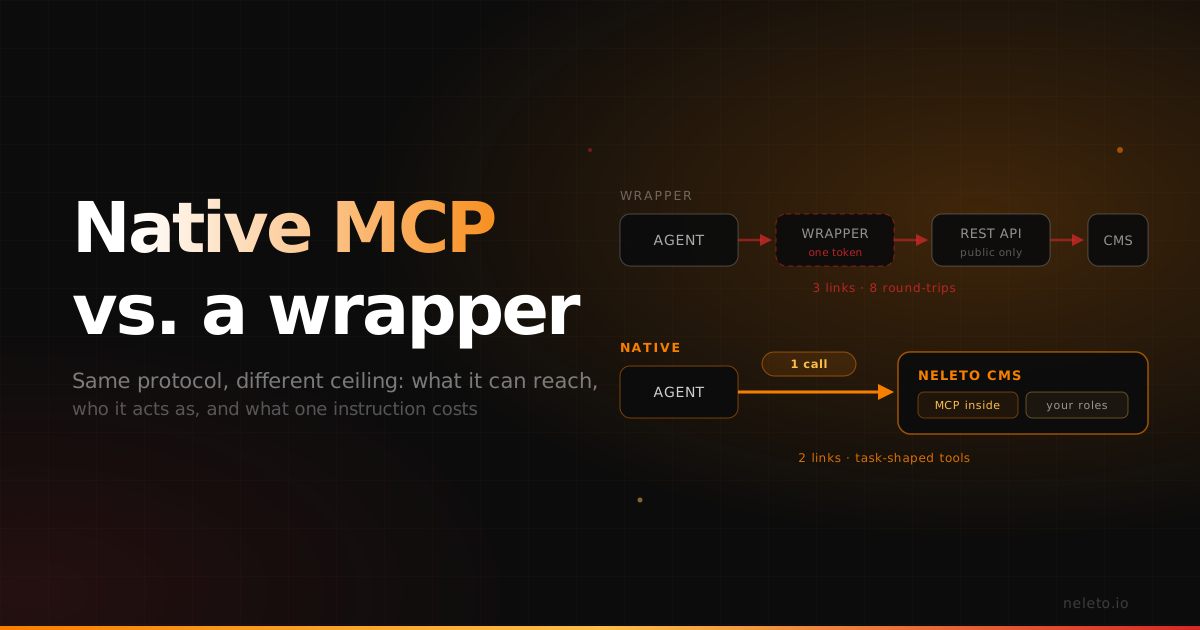
Native MCP vs an MCP Wrapper: Why the Difference Shows Up in Production
Both speak the same protocol. The gap opens in what they can reach, who they act as, and how many round-trips one instruction costs.
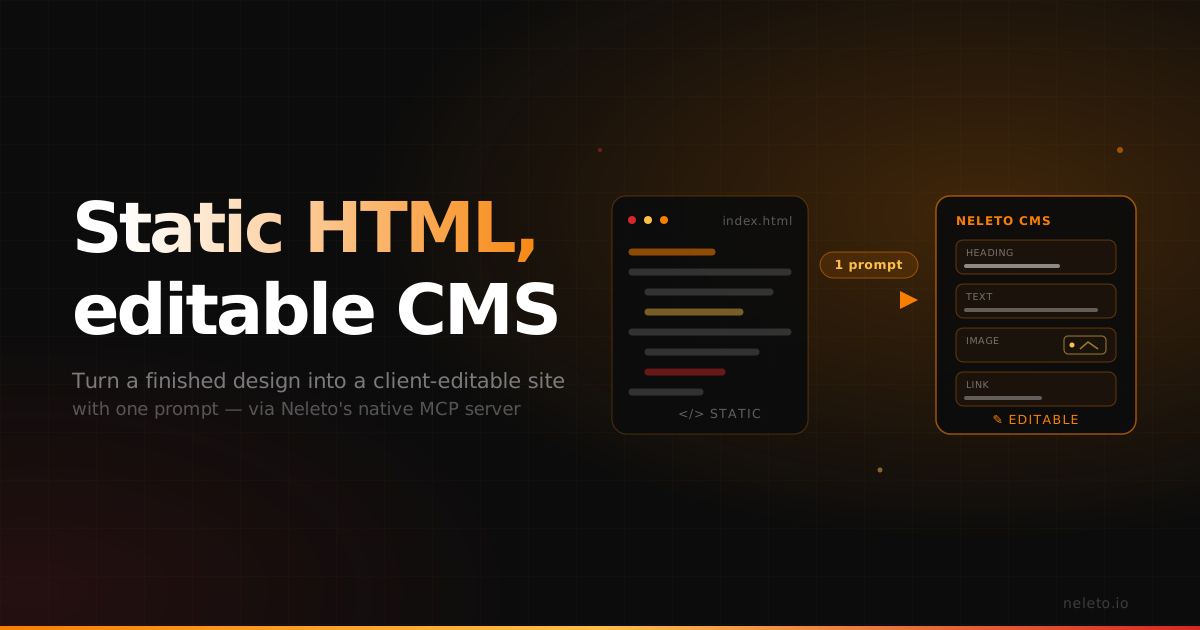
Turn a Static HTML Site into an Editable CMS
Web designers lose days rebuilding finished designs as a CMS. With Neleto's MCP server it takes one prompt, animations and custom cursor included.