40-Page WordPress Migration: Honest Walkthrough
The content migration took under an hour. The full cutover (domain, DNS, redirects, forms, QA) took most of a day. Every step, every gotcha.
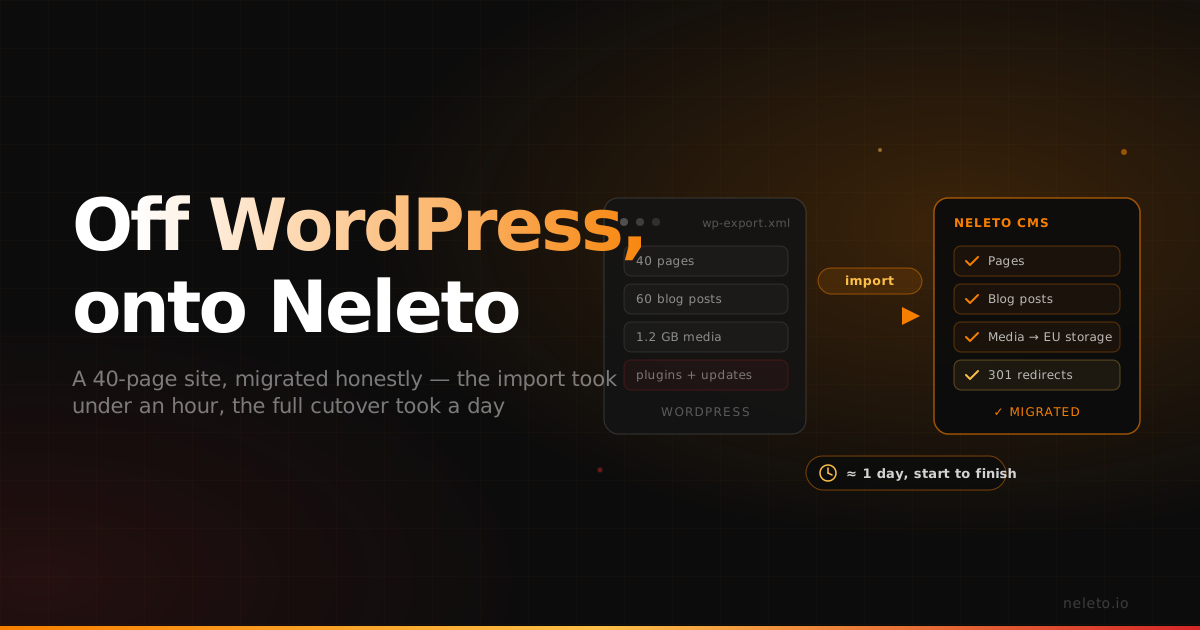
Most "switch away from WordPress" articles are sales pages in disguise. They tell you migration is a thirty-minute magic trick, skip the messy parts, and end with a button. This isn't that. This is the actual run we did last week, moving a real customer site — 40 pages, a blog with 60 posts, a contact form, and 1.2 GB of media — from a self-hosted WordPress install to Neleto.
Here's the honest headline: the content migration itself — export, import, media — took under an hour of hands-on work. The core content move is genuinely fast. But a real cutover isn't just the content. It's rebuilding the page-builder pages, setting up redirects, swapping the forms, moving the domain, waiting for DNS to propagate, and doing a proper QA pass across every page. Add all of that up and it was about a working day, start to finish — most of it waiting, not clicking.
That's the number we'd want someone to tell us. So here's exactly how it went, including the two things that went wrong.
Why this site was leaving WordPress
The customer is a small German agency running sites for their own clients. Their complaint wasn't ideological. WordPress worked. It was just expensive to keep working: a managed host at €39/month, a security plugin subscription, a caching plugin, monthly update windows where something usually broke, and a recurring worry about where plugin vendors were sending their visitors' data. For a DSGVO-conscious agency, that last one mattered most.
They wanted three things: predictable hosting in the EU, no plugin update treadmill, and content they could edit by prompt instead of wrestling with the block editor. That's a migration, not a tune-up.
Step 1 — Export (about 5 minutes of clicking, then a long wait)
WordPress exports its content as a WXR file (it's just XML) from Tools → Export. We pulled "All content." Media files don't live in that XML — they're referenced by URL — so we also grabbed the /wp-content/uploads folder over SFTP in parallel.
That folder transfer was the slowest single thing in the whole process. 1.2 GB over a residential connection isn't instant, and it ran in the background for the better part of an hour while we did other things. Nothing to babysit — but it's the first place the "30-minute migration" story quietly falls apart. The clicking is fast. The bytes moving are not.
Step 2 — Import into Neleto (about 10 minutes)
Neleto reads WXR directly. Pages became pages, posts became blog entries, and categories and tags carried over as-is. The importer maps WordPress's flat structure onto Neleto's content model automatically, so we didn't hand-build a single schema. Media uploaded to EU-hosted storage and the importer rewrote the old wp-content URLs to point at the new locations.
This is the part that actually is fast, and it's the part the sales pages are technically not lying about. If your site is content-heavy and plugin-light, you could be looking at your imported pages inside ten minutes.
Step 3 — Rebuild the page-builder pages (about 20 minutes)
Gotcha #1: Three posts used a page-builder plugin (Elementor) whose layout lives in proprietary shortcodes, not standard HTML. Those came in as raw shortcode text. The importer can't know what [ult_buttons] means — nobody can. We rebuilt those three pages by hand in about twenty minutes.
If your site leans heavily on a page builder, budget real time for this. It's the honest asterisk on every "one-click migration" claim, ours included. The upside: rebuilt in Neleto, those pages are now plain components anyone can edit — no shortcode syntax, no locked-in builder.
Step 4 — Redirects (about 15 minutes)
This is the step people forget and then lose their search rankings over. WordPress permalinks (/2024/03/post-name/) rarely match a new CMS's URLs one-to-one. We exported the old URL list, generated a redirect map, and imported it. Neleto handles 301s natively, so there was no .htaccess to babysit.
Gotcha #2: The old site had a ?p=123-style query permalink structure on a handful of legacy links from an email campaign. Those needed manual redirect rules. Five total. Worth checking your analytics for any odd inbound URLs before you cut over — it's five minutes now versus a month of 404s later.
Step 5 — Forms (about 15 minutes)
The contact form was a WordPress plugin posting to the site's own database. We replaced it with Neleto's built-in form handler, which stores submissions in the EU and emails the agency on receipt — no third-party form SaaS, no US data transfer. Rebuilding the fields and sending a couple of test submissions to confirm the mail landed took about fifteen minutes.
Step 6 — The domain and DNS cutover (about 10 minutes of work, then hours of waiting)
Here's the other place the clock stops being about you. Pointing the domain at Neleto is ten minutes of actual work: update the records, done. Then you wait for DNS to propagate. In our case most resolvers picked up the change within a couple of hours, but you can't rush it and you shouldn't cut over your MX and traffic until you've confirmed it's clean.
We kept the old WordPress host live during propagation so nobody hit a dead site mid-switch, watched the first agent and human requests land on the new stack, and only then decommissioned the old box. This is the single biggest reason "half an hour" is a fantasy: the internet's caches don't care how fast your CMS is.
Step 7 — QA pass (about 45 minutes)
Last, we walked every one of the 40 pages and spot-checked the 60 blog posts: images loading from the new EU storage, internal links resolving, the rebuilt Elementor pages looking right, redirects firing, the form emailing. Found and fixed a few internal links that still pointed at the old domain. Boring, essential, and the step that separates "it's live" from "it's actually done."
The honest clock
- Hands-on-keyboard time: roughly 90 minutes across the whole thing.
- Elapsed, start to finish: about a working day — dominated by the 1.2 GB media transfer and DNS propagation, both of which are waiting, not working.
So: fast where the sales pages promise fast (the content import), and honestly slow where every migration is slow (moving bytes, moving domains, checking your work). Anyone who tells you a real 40-page cutover is thirty minutes flat is selling you the demo, not the day.
What changed, measured honestly
The numbers after one week, not promises:
- Hosting cost: €39/month → €59/month flat for the Neleto Team plan (today's equivalent is Business at €39/month), but that one plan replaced the host and two paid plugins the customer was running (roughly €25/month combined). Net, slightly cheaper, with one bill instead of three.
- Largest Contentful Paint: 2.9s → 0.8s on the homepage. The Rust backend and no plugin overhead do most of that work.
- Update windows: gone. There's no plugin stack to patch.
- Data location: every byte — content, media, form submissions — now sits on EU infrastructure with no US Cloud Act exposure.
What didn't improve: the three rebuilt pages took real human effort, and the agency had to relearn where a few settings live. Migration removes a treadmill; it doesn't remove a learning curve.
Should you do this?
If your WordPress site is content-heavy and plugin-light, a migration like this is genuinely a half-day-to-a-day job and pays for itself in saved maintenance within a quarter. If your site is a pile of page-builder layouts and 30 plugins, be honest with yourself: that's a rebuild wearing a migration costume, and it'll take longer.
Either way, the content import is the free, reversible part — so that's where to start. Run it, look at your pages inside Neleto, and then decide whether the rest of the day is worth it. For most content sites we've moved, it is.
Still deciding whether to leave WordPress at all? Our WordPress alternative comparison covers what you give up, which maintenance goes away, and when you're better off staying.
We'll keep publishing these as we run them, gotchas included. If you want us to look at your specific site before you commit, the export step costs you nothing.
— Start free at neleto.io · the all-in-one CMS with a built-in MCP server, hosted in the EU.
Read next
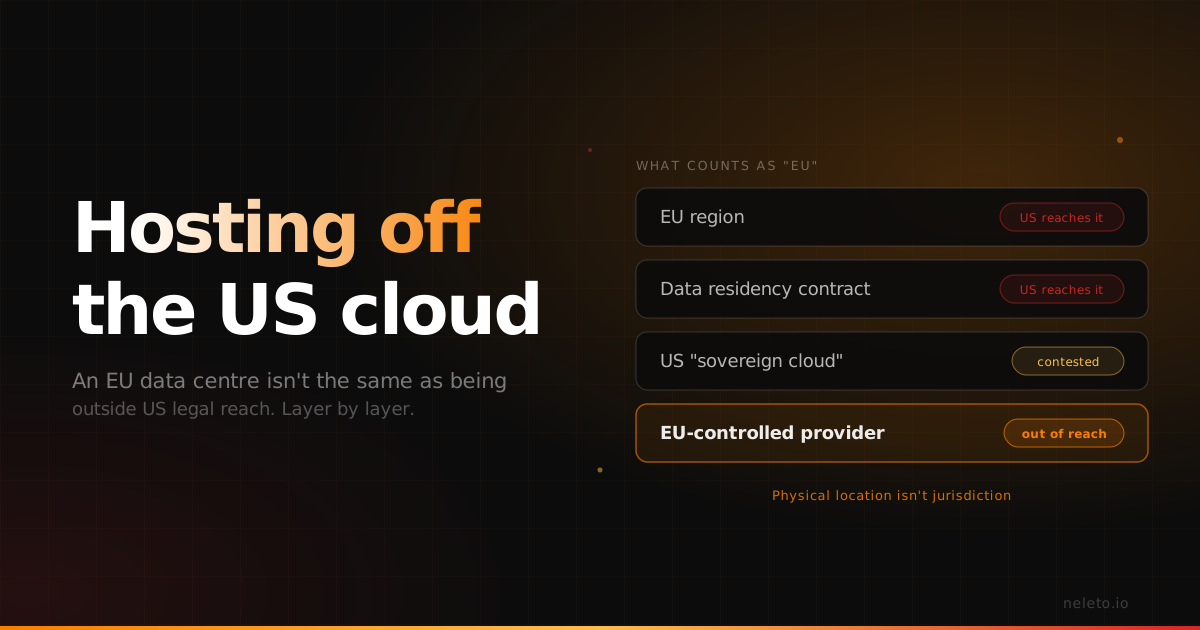
How to Host a Website Without US Cloud Providers (And What Actually Counts as 'EU')
An EU data centre is not the same thing as being outside US legal reach. Here is the difference, layer by layer.
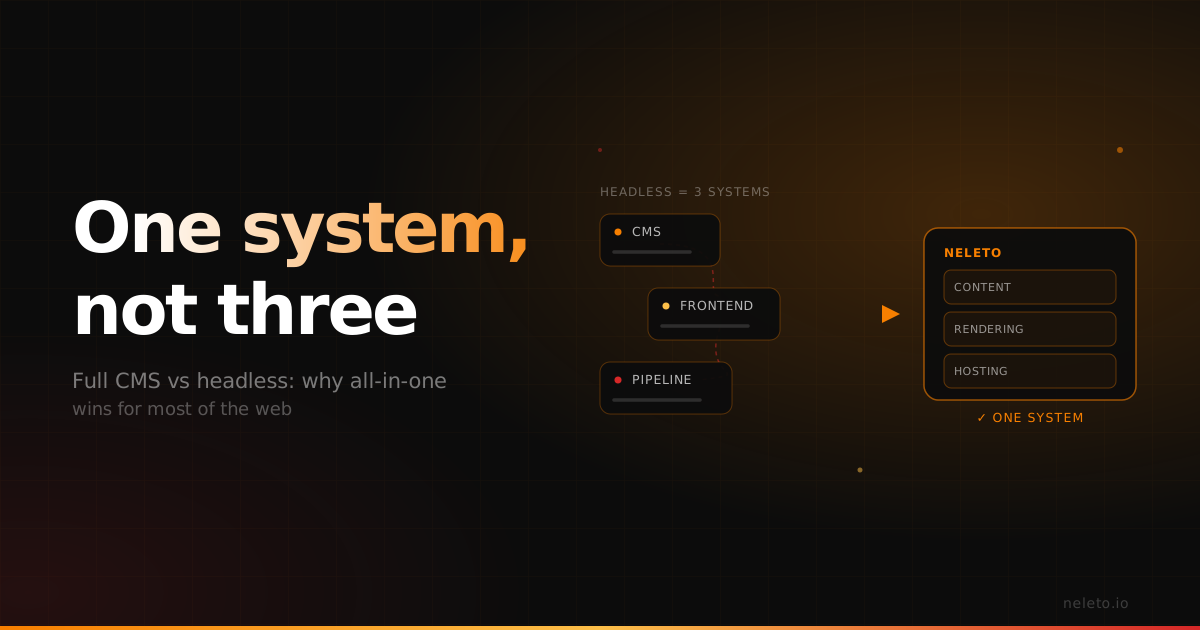
Full CMS vs Headless: Why All-in-One Wins for Most of the Web
Headless earned its reputation for real reasons. Here's the honest trade-off — and why, for most sites, a complete CMS is the better deal.
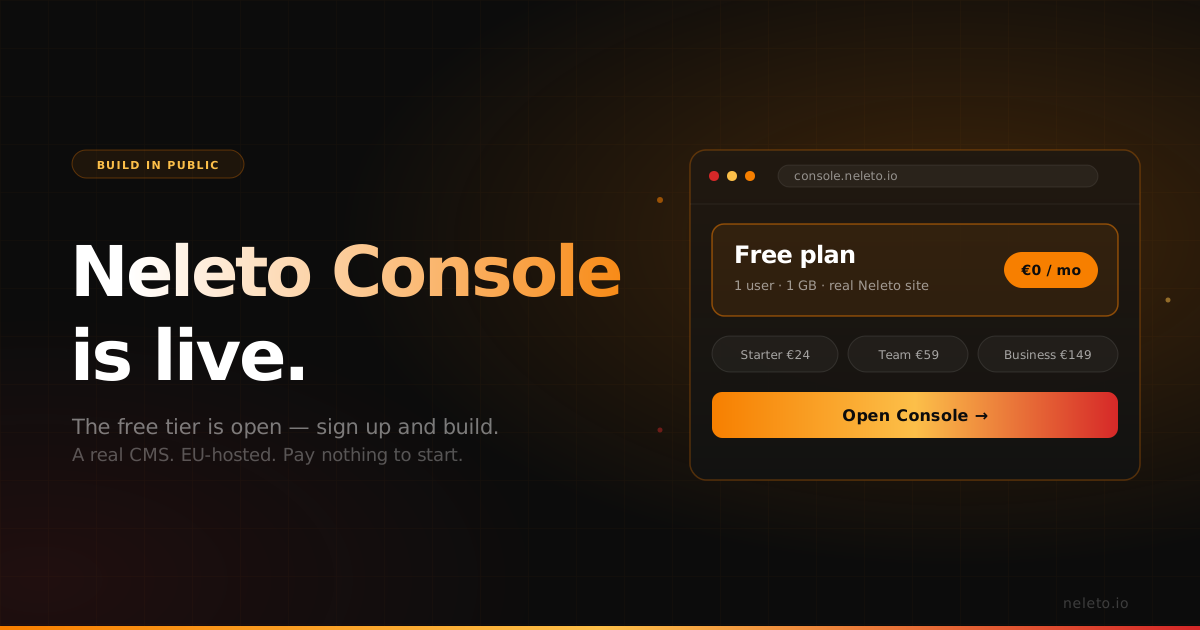
Neleto Console Is Live — and the Free Tier Is Open
Sign up at console.neleto.io, get a real CMS, and pay us nothing. Here's why we built it that way.