Best CMS for Agencies Managing 10+ Client Sites (And What to Check Before You Commit)
The four things that actually decide it, the per-site maths at 10 and 25 sites, and an honest look at where each option falls apart.
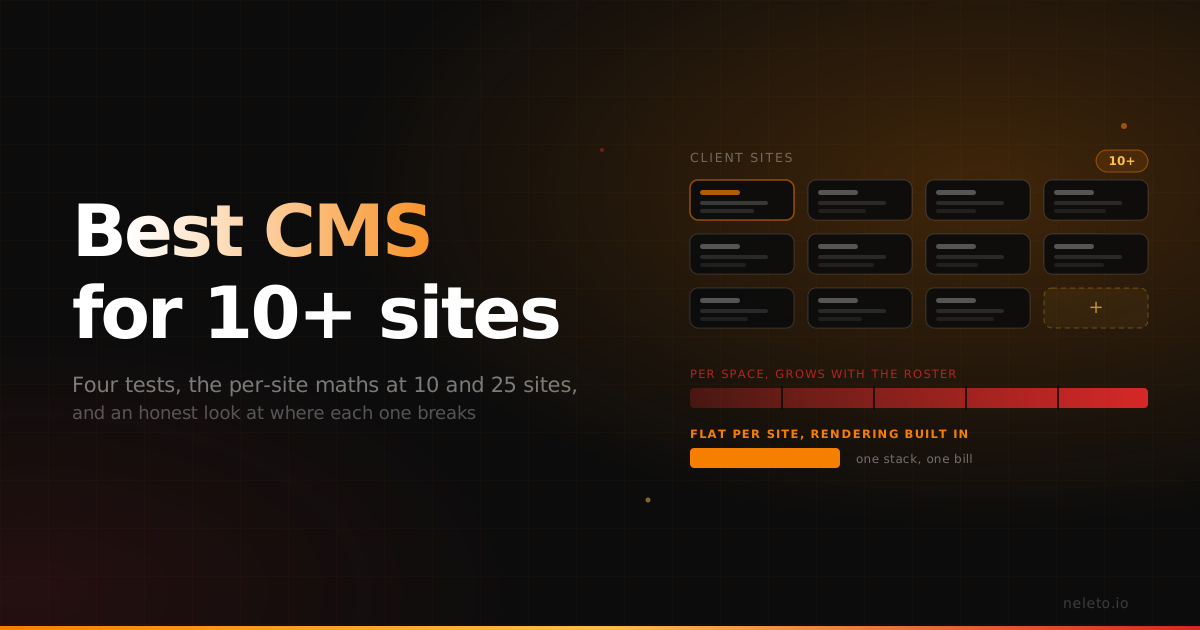
If you run ten or more client sites, the CMS decision isn't really about features. Four things decide it, and the rest is detail.
What decides the best CMS for an agency running 10+ client sites?
Per-site cost at 10 to 50 sites. How much of the stack you maintain per client. What the client's own editing experience is like. And what happens when a client leaves.
Feature lists are close to useless here, because every CMS on your shortlist can handle content well enough. What separates them at agency scale is how the bill grows, how many moving parts each client adds, how many support emails a non-technical editor sends, and whether a departing client can leave without a fight. Run those four against your real roster before you book a demo.
The six-point checklist to run before you commit
Run this with your own numbers, not a vendor's. Each point has a clear answer or it's a red flag.
- Pricing shape. Per site (per space or project) or per seat? Multiply by your site count in three years, not today. Per-seat plans capped at one space per plan are per-site pricing wearing a disguise.
- Client handover and ownership. Can a client take their site and leave? Can the subscription move into their name, or does it stay on your card forever? Ask before the first invoice, not during the breakup.
- Editor experience for a non-technical client. Sit a real client in front of it for ten minutes. If they can't change a headline and a photo without you, you've bought a support contract you aren't billing for.
- Compliance you inherit: hosting location, subprocessor list, and a DPA you can put in front of a client's legal team. You answer for this on the client's behalf.
- Moving parts per site. Count them: CMS, frontend framework, hosting, build pipeline, image service, form handler, search. Every part is a thing that breaks on a Friday.
- The exit path. Export a real site on the real plan and look at what you get, before you commit rather than after.
How does per-site vs per-seat pricing scale at 10 and 25 sites?
Headless CMS list pricing scales per space, which for an agency means per client site, so the bill grows roughly in line with the roster. Contentful and Storyblok are headless CMSs: they store and serve content, and you build and host the frontend. Neleto is a complete CMS, with rendering built in, so there's no second stack per client.
At list price, as of writing: Storyblok Growth is $99/month with five seats and one space. Contentful Lite is $300/month with one Starter Space, and each additional Lite Space is listed at $850/month. Neleto is €19/month (Solo) or €39/month (Business) per site, with annual billing at ten times the monthly price.
| Option | What one client site costs | 10 sites/year | 25 sites/year |
|---|---|---|---|
| Storyblok Growth (headless) | $99/mo, 1 space, 5 seats | ≈ $11,880 | ≈ $29,700 |
| Contentful Lite (headless) | $300/mo plan + $850/mo per extra space | list price stops being a price | Enterprise quote |
| Neleto Solo (complete CMS) | €19/mo, €190/yr annual | €1,900 | €4,750 |
| Neleto Business (complete CMS) | €39/mo, €390/yr annual | €3,900 | €9,750 |
Two caveats, both real. No agency at 25 sites pays list price: enterprise and partner discounts exist, and the real number comes out of a sales call, not a public page. And the headless figures exclude frontend hosting and build minutes. If you already run a frontend team, that capacity is paid for anyway, and headless buys you control you'd otherwise give up. One more: the competitor prices above are USD as listed, Neleto's are EUR net, so convert before you compare like for like.
Why margin is the number that matters, not the licence fee
The cost of a client site is the licence plus the hours you spend keeping it alive, and for most agencies the hours dominate.
Take a site on a €39/month plan: €468 a year. At any normal agency rate, three or four hours of unplanned maintenance (a plugin conflict, a failed build, a client who can't find the button) costs more than the whole annual licence. Twenty sites each producing two unbilled support emails a month is a part-time job nobody invoices.
That's why "moving parts per site" outranks the price row. A stack with a CMS, a framework, a build pipeline and three services has four things that can page you per client. One that renders its own pages has one. A cheaper licence that adds maintenance hours hasn't saved you anything.
What happens when a client leaves?
Assume every client eventually leaves, and test the exit before you onboard them. Two questions: does the content come out in a usable form, and can the subscription move into the client's name without rebuilding the site? Structured content over an API is a good sign. A bundle that only reimports into the same product is lock-in with an export button.
For Neleto specifically: content comes out through the REST API, and the rendered HTML is standard markup. But Neleto is managed hosting, and there's no self-hostable bundle to hand a client today. If a client's procurement demands self-hosting, choose something else.
What compliance do you inherit on your client's behalf?
Picking the CMS means inheriting the hosting and data-processing obligations on your client's behalf, and you're the one answering their legal team. Get the hosting location, subprocessor list and DPA before the pitch.
For EU clients in regulated fields (clinics, foundations, public bodies), "hosted in the EU" has to name an actual data centre. Neleto runs managed EU hosting on Hetzner in Nuremberg and Falkenstein, Germany, with regions in the USA and Asia coming soon and selectable when you create an instance. A US-headquartered SaaS with an EU region isn't automatically wrong, but it's a longer conversation with the client's lawyer, and that time is unbilled.
Can an agent run content operations across 30 client sites?
Partly, and this is the part of the stack that genuinely changed in the last two years. A CMS with a native MCP server, meaning MCP built into the CMS itself rather than a wrapper around an API, lets you run content operations from Claude Code or Cursor instead of clicking through 30 admin panels.
The concrete case: a law change means the imprint has to be updated across 30 client sites. By hand that's a slow afternoon. With MCP you write the instruction once, the agent applies the edit project by project, and you review the diffs.
What it doesn't do: each project is its own connection, so the agent works site by site rather than with one global command. It makes no design decisions, it doesn't remove your review step, and you shouldn't point it at 30 production sites before you've checked the first one. The repetitive typing goes away. The judgement stays with you.
Pick something else if…
You already run a fast Webflow or WordPress workflow. A team that ships a client site in three days on tooling it knows cold shouldn't trade that for a licence saving, because retraining usually costs more than the delta.
Your clients need a specific ecommerce stack. If the brief says Shopify or Shopware, build against that ecosystem. Neleto doesn't replace it.
You need a niche integration. A booking system, CRM or industry directory with a mature plugin elsewhere is a good reason to stay where that plugin lives.
You need arbitrary custom content types. Neleto ships Pages, Blog, Events, Files, Components, Layouts, Redirects and Translations. User-defined content types aren't shipped yet, so if your client work depends on modelling something outside that list, a headless CMS is the honest answer today.
Neleto fits a specific profile: agencies running many small-to-mid client sites for non-technical clients, with EU compliance requirements and no frontend team to keep busy. Outside that profile, one of the options above is the better buy.
Try it yourself: Take one real client site, rebuild it on a free Neleto project, and run your own checklist against it, especially the export and the ten-minute client test. That tells you more than any comparison table, including ours.
Read next
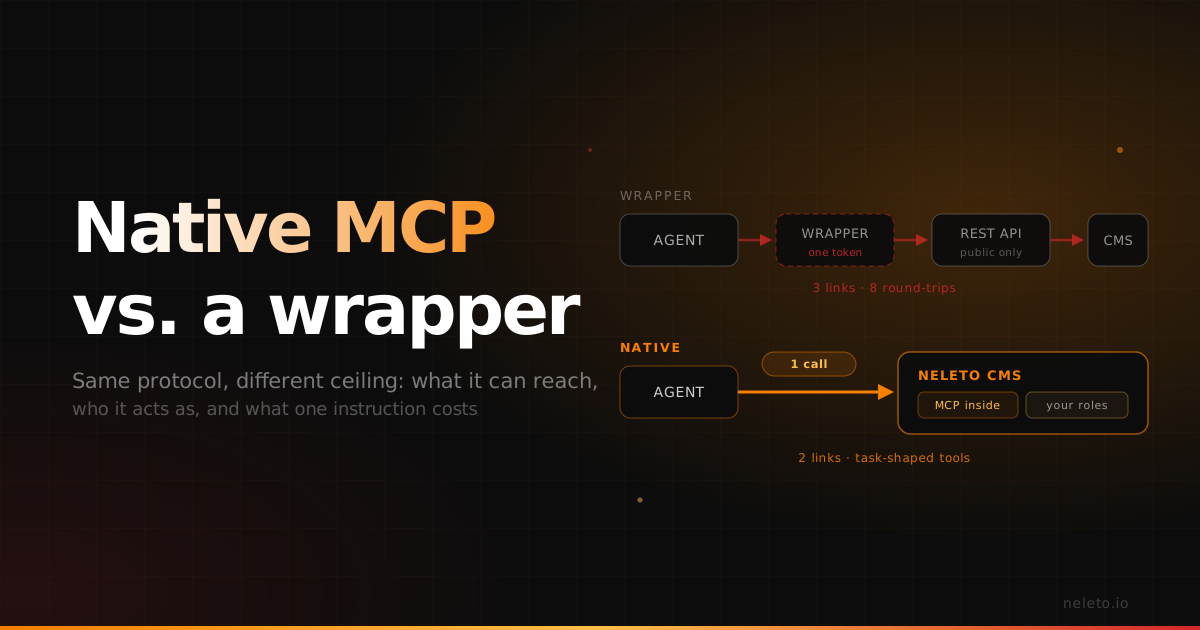
Native MCP vs an MCP Wrapper: Why the Difference Shows Up in Production
Both speak the same protocol. The gap opens in what they can reach, who they act as, and how many round-trips one instruction costs.
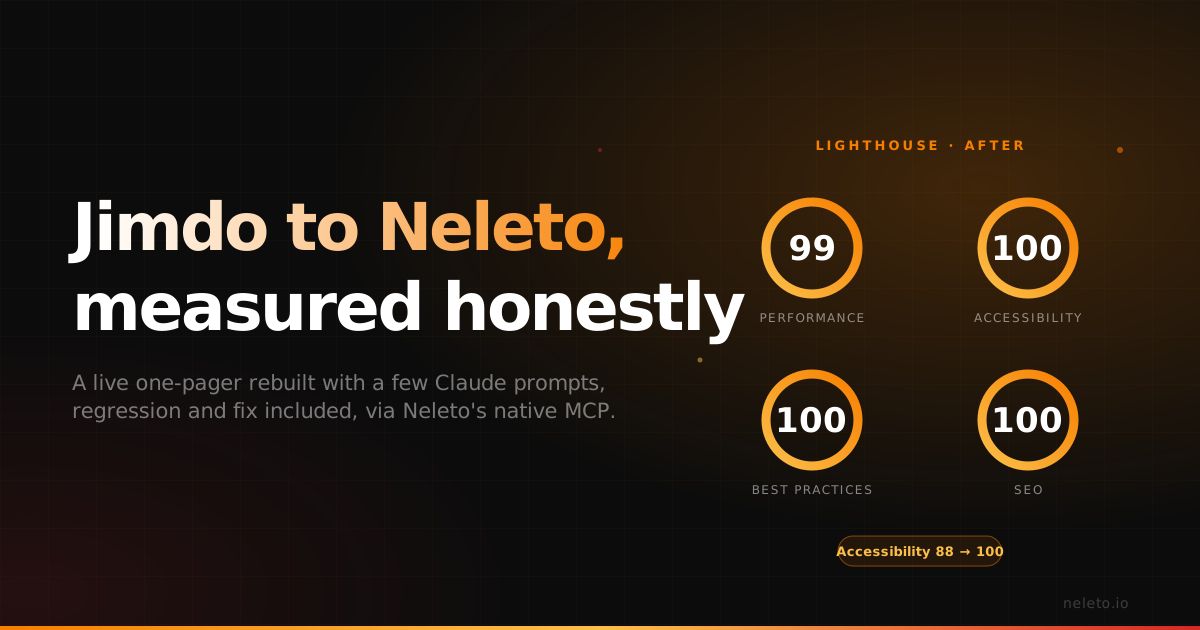
Jimdo to Neleto: A Real Migration Story
We rebuilt a live Jimdo one-pager on Neleto with Claude. The first pass hurt accessibility; two prompts later Lighthouse showed 99/100/100/100.
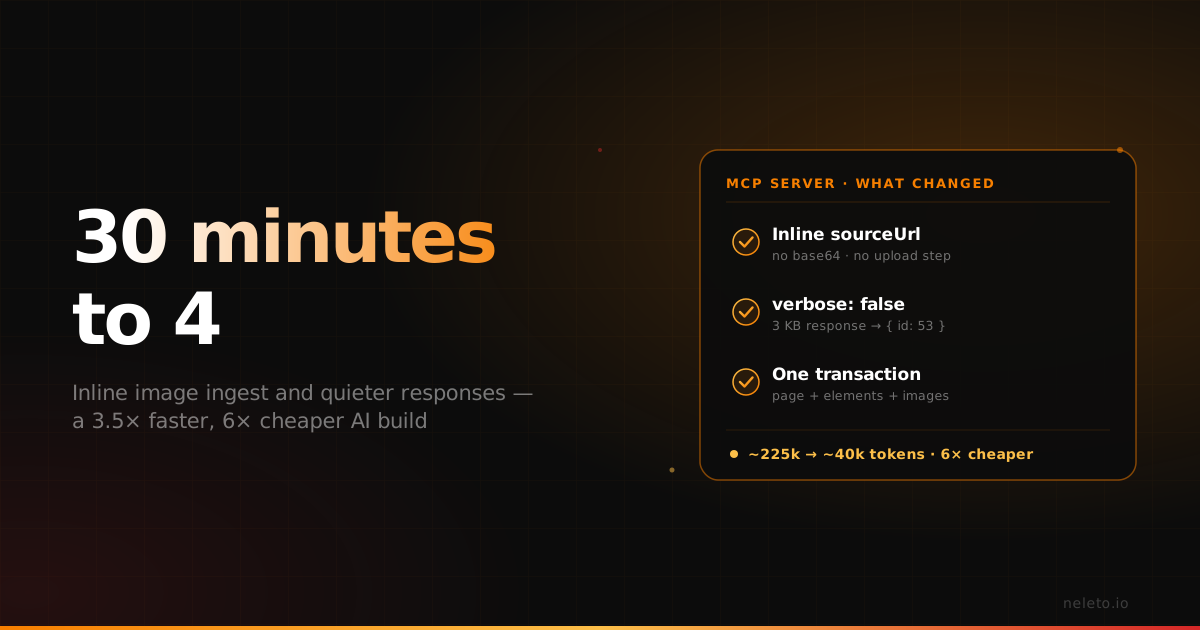
The same AI build went from 30 minutes to 4 — here's what we changed in our MCP server
Image uploads were the slowest part of building a site with an AI agent. What we changed in Neleto's MCP server, with before-and-after numbers.