Redirects
Redirects allow you to direct one URL to another, so that when you access the old URL, you are taken to the new one.
Creating a new redirect
To begin navigate to the Redirects item under Page in the sidebar on the left.
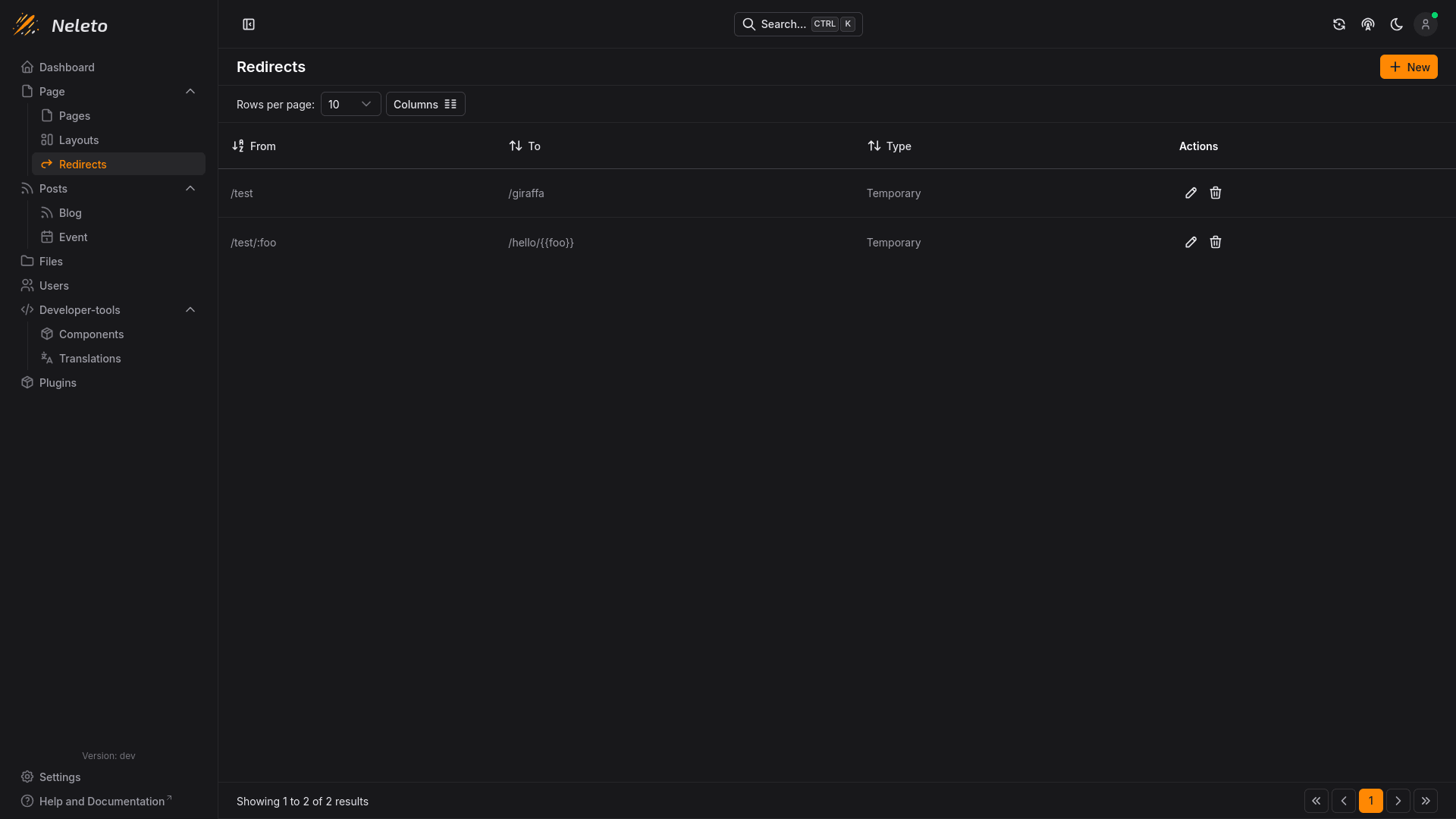
To create a redirect, simply click on the + New button in the top right.
Options
Here are the options you can set on a redirect:
From
The path where the redirect is coming from. When a visitor goes to this path,
they will be redirected to the path specified in the To field. This path can
use path parameters, such as :slug to be dynamic.
To
This is the path the redirect will route visitors to. If you have defined a
path with parameters in the From field, you can use the value of those
parameters here by doing this:
{{slug}}
Where slug is the name of the parameter defined in the From field.
Type
This can either be Permanent or Temporary.
- Permanent (HTTP 308) - The browser and search engines cache this redirect permanently. Use this only when a URL has moved for good and you are certain it will never move again. Permanent redirects can't be edited after creation.
- Temporary (HTTP 307) - The redirect is not cached, so it can be freely changed later. We recommend starting with
Temporaryfor flexibility and only switching toPermanentonce you are certain the target URL is final.